Planning Your Corporate Holiday Party Photo Booth Experience
Corporate holiday parties are a chance to bring teams together, celebrate the year's achievements, and create a shared sense of belonging. A photo booth can turn an ordinary gathering into something memorable, especially when it offers more than just a static backdrop. For event planners looking to add a modern twist, a 360 video booth has become a popular choice because it captures short, dynamic clips that guests can share instantly. Planning such a feature for your company's holiday party takes some forethought, and having a checklist helps you cover the important details without last-minute stress.
Define Your Event Goals First
Before you book any equipment, think about what you want the photo experience to accomplish. Are you aiming for high employee engagement, or is the main goal to produce shareable content that extends the party's reach on social media? Your answer will shape decisions about setup, staffing, and customization. For a corporate holiday party, the photo booth should reflect the tone of the event - whether that is formal, playful, or somewhere in between. If brand messaging matters to your company, you will want the booth to incorporate logos, colors, or a custom holiday theme that aligns with your internal communications. Knowing your objectives early helps you communicate clearly with the rental provider and ensures the final setup serves your purpose.
Choose the Right Booth Type for Your Space
Not every photo booth fits every venue. A 360 video booth, for instance, requires more floor space than a standard selfie station because it typically involves a rotating camera arm and a marked zone for guests to stand. Measure your venue in advance and note any obstacles like columns, low ceilings, or heavy foot traffic areas. Discuss the layout with your rental company so they can suggest a placement that maximizes visibility without blocking exits or catering stations. If your party includes multiple activities, position the booth where it naturally draws people in but does not create a bottleneck. The goal is to make the booth feel like a natural part of the party flow, not an afterthought tucked in a corner.
Plan the Timing and Guest Flow
A holiday party often has a mix of structured activities and free social time. Decide when the photo booth will be open and how long each session should last. For a 360 video booth, each clip might take 15 to 30 seconds to record, plus a moment for the guest to exit and the next to step in. Factor in time for groups of colleagues who want to pose together. If you expect a large crowd, consider scheduling the booth in shifts or placing it near a lounge area where people can wait comfortably. Communicate the schedule to your team so they know when to head over. Good timing keeps the experience feeling exclusive and fun rather than rushed or overcrowded.
Customize the Experience to Match Your Brand
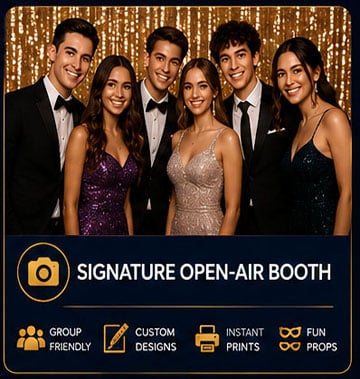
Corporate events benefit from personal touches that tie back to the company's identity. A 360 video booth can be branded with custom overlays, animated intros, or themed props that echo the holiday spirit and your company's culture. Work with your rental provider to design a look that feels cohesive with your party decorations. If you have a specific holiday theme - like a winter wonderland or a retro ski lodge - make sure the booth's backdrop and digital graphics reflect that. The result is a more immersive experience that guests will remember and associate positively with your brand. This is also a good time to discuss how the final videos will be delivered. Many providers offer instant sharing via text or email, which encourages guests to post the content themselves, amplifying your event's reach organically.
Prepare Your Team and Your Guests
A staffed booth runs more smoothly when the operators understand your expectations. Brief them on the event schedule, any special announcements, and the kind of energy you want them to bring. A friendly attendant can make shy guests feel at ease and keep the line moving efficiently. On the guest side, give people a heads-up that a 360 video booth will be available. A short teaser in the party invitation or a sign at the venue explains how it works and what they should do. For example, guests might need to stand on a marked spot and strike a pose while the camera rotates around them. Clear instructions reduce confusion and help everyone enjoy the activity. When people feel prepared, they are more likely to participate, which boosts overall employee engagement.
Consider the Content and Sharing Strategy
The videos your guests create can serve multiple purposes beyond the party itself. They make great material for internal newsletters, social media posts, or even a year-end recap video. Before the event, decide how you want to collect and use the content. Some rental providers offer a centralized gallery where all clips are uploaded, making it easy for you to download them later. You might also set up a branded hashtag for guests to use when they share their videos. If privacy is a concern, have guests sign a simple release form at the booth. That way, you have permission to repost their clips on your company's channels. Planning this part in advance saves you from chasing down permissions after the party ends.
Test the Technology Before Guests Arrive
On the day of the event, arrive early to oversee the setup and run a few test clips. Check that the lighting is even and flattering, the camera movement is smooth, and the sharing feature works as expected. If the booth uses wifi for uploading, confirm the network can handle the load. A quick test also lets you see how the branded overlays look in practice and make small adjustments. This step might seem simple, but it catches issues that could disrupt the guest experience later. When the party starts, you can relax knowing the technology is ready.
Think About Accessibility and Inclusivity
Not every guest will be comfortable stepping in front of a camera, and that is okay. Offer alternatives like a standard photo booth or a simple selfie station nearby. For the 360 video booth, make sure the setup is accessible to people with mobility aids or those who prefer to sit. A thoughtful approach ensures that everyone feels included, which is especially important at a company event. Holiday parties are meant to celebrate the whole team, so the entertainment should welcome all participants. A little extra planning in this area goes a long way toward making the event feel considerate and professional.
Bringing a 360 video booth to your corporate holiday party is about more than just having a cool gadget. It is a way to create shared moments that strengthen team bonds and produce content your company can use for months afterward. By following a planning checklist that covers goals, space, timing, branding, guest preparation, content strategy, and technology checks, you set yourself up for a smooth and successful experience. The result is interactive entertainment for company parties that feels meaningful rather than forced. When every detail is thought through, the booth becomes a highlight of the evening, not a logistical headache.
Final Thoughts Before You Book
As you finalize your plans, keep the big picture in mind. The photo booth should complement the rest of the party, not overpower it. Choose a provider who listens to your needs and offers clear guidance on setup and operation. Ask about customization options, staffing policies, and what happens if something goes wrong. A reliable company will have backup equipment and experienced operators who can handle the flow. With the right preparation, your holiday party can offer interactive entertainment for company parties that leaves a lasting impression on your team. Whether you opt for a 360 video booth or a more traditional setup, the effort you put into planning will pay off in smiles, laughter, and content that captures the spirit of the season.
Corrections
Spot something wrong? Send it to the desk and it gets fixed in the open.